Requirements:
- Node.js installed
- A Wordnik account
Note: Since one of the most common uses of the Wordnik API is to generate random words, my examples will be aimed toward that goal.
Generating and getting your API Key:

Visit the developer side of Worknik.
On the right-hand side will be a form.
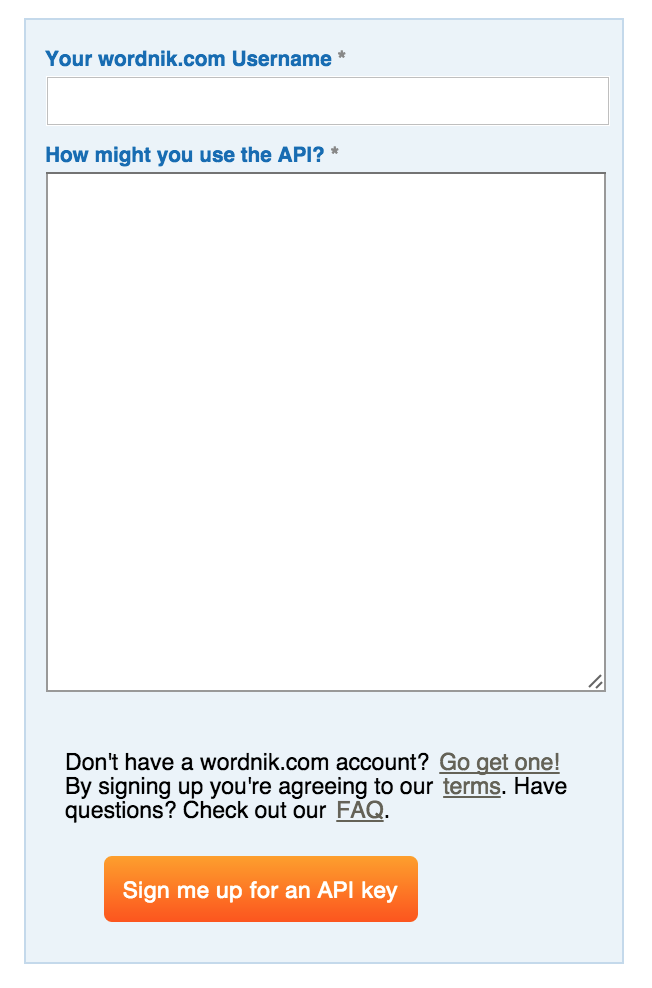
Complete the form and then click on the “Sign me up for an API key” button. (Yes, it really is that easy.)
Once the key has been generated, it will at the bottom of your user settings page. Right above the section to delete your account will now be your API key.

Two ways to use the Wordnik API in Node.js:
-
Using Node-REST-Client (harder)
-
Using the wordnik-bb module (easier)
Using the Node-REST-Client Module
npm install node-rest-client
Start by installing the Node-REST client module. Using this method, we will be constructing a call using the Client object of the module to pass it the options we want via building a query string.
As an example of how to use this method, fill in your API key in the following code.
| var Client = require('node-rest-client').Client; | |
| var APIKEY = ''; | |
| // Create a full configuration object | |
| // See http://developer.wordnik.com/docs.html | |
| var config = { | |
| hasDictionaryDef: false, | |
| includePartOfSpeech: "verb-transitive", | |
| minCorpusCount: 0, | |
| maxCorpusCount: -1, | |
| minDictionaryCount: 1, | |
| maxDictionaryCount: -1, | |
| minLength: 5, | |
| maxLength: -1, | |
| limit: 2, | |
| api_key: APIKEY | |
| }; | |
| function getRandomWords(config) { | |
| // Create a new Client object | |
| var client = new Client(); | |
| // Start to build the URL | |
| var wordnikURL = 'http://api.wordnik.com/v4/words.json/randomWords?'; | |
| // Parse the configuraiton object and create the request URL | |
| for(var option in config) { | |
| wordnikURL = wordnikURL + "&" + option + "=" + config[option]; | |
| } | |
| // Make sure we are asking for JSON | |
| var args = {headers: {'Accept':'application/json'}}; | |
| // Create the GET request | |
| client.get(wordnikURL, args, function (data, response) { | |
| // Once the statusCode is 200, the response has been received with no problems | |
| if (response.statusCode === 200) { | |
| // Parse the JSON received as the response | |
| var result = JSON.parse(data); | |
| // "result" will have the object created from the parsed JSON | |
| console.log(result); | |
| } | |
| }); | |
| }; | |
| // Finally, actually call the function with the configuration object | |
| getRandomWords(config); |
Using the Wordnik-bb Module
npm install wordnik-bb
Start by installing the wordnik-bb module. For this method, instead of creating a REST client, we can use the module designed specifically for calling the Wordnik API.
As an example of how to use this method, fill in your API key in the following code.
| var APIKEY = ''; | |
| var Wordnik = require('wordnik-bb').init(APIKEY); | |
| var randomWordPromise = Wordnik.getRandomWordModel({ | |
| includePartOfSpeech: "verb-transitive", | |
| minCorpusCount: 10000 | |
| } | |
| ); | |
| randomWordPromise.done(function(wordModel) { | |
| console.log("Random word: ", wordModel.attributes.word); | |
| }); |

